
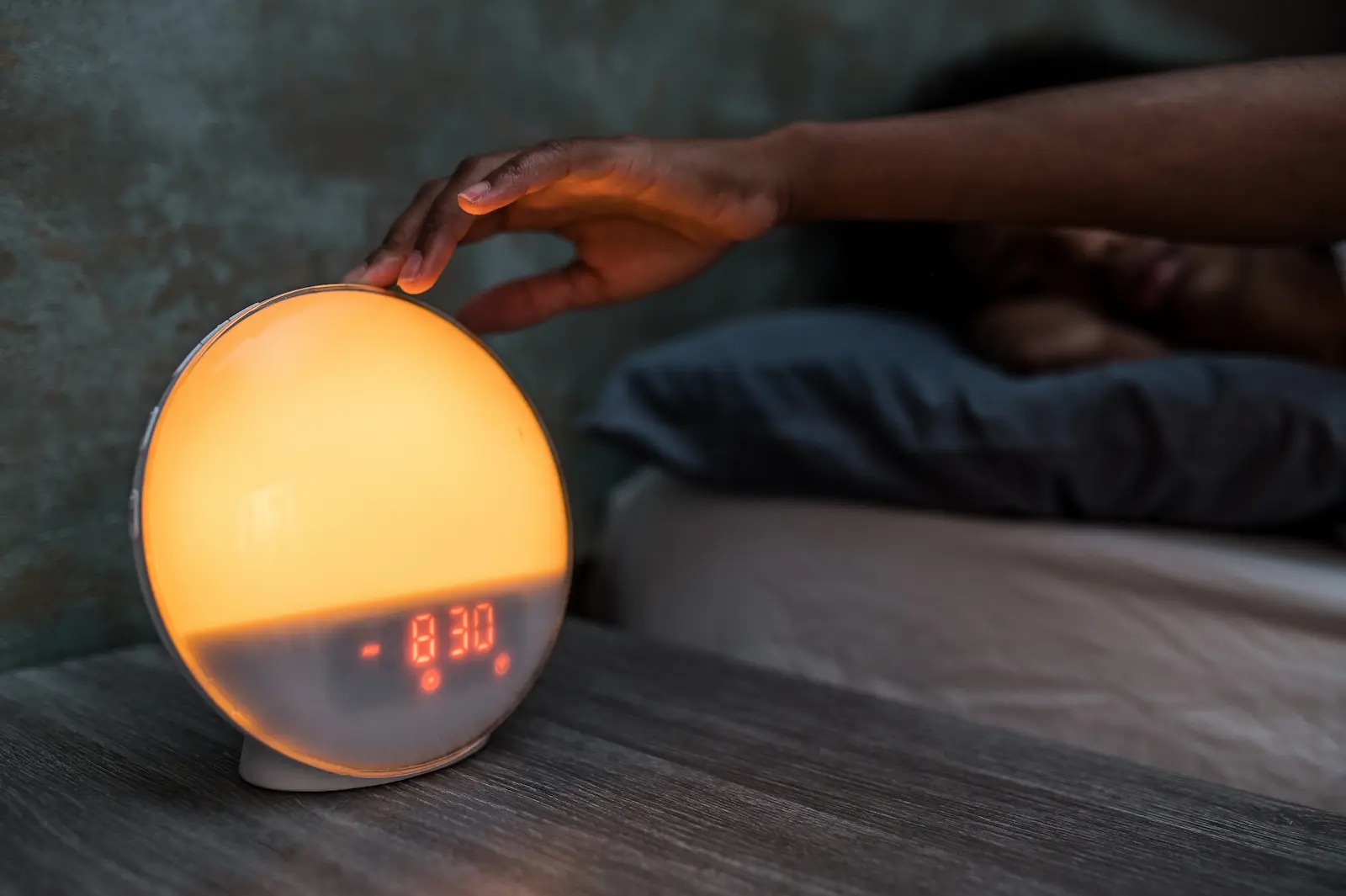
Waking up to a gradually brightening bedroom is a different experience from hearing an alarm in the dark. A sunrise clock starts changing the light before the alarm time. A sound-focused bedside clock can leave the room dark until you’re ready to reach for a lamp.
The controls make a bigger difference than you might expect. A clock with a weekly schedule can accommodate early weekdays and slower weekends. An app can tie light and sound into an evening routine, while physical buttons make it possible to change tomorrow’s alarm with your phone in another room.
Some of the clocks here are built around the sunrise itself, with a choice of light ramps and wake-up sounds. Another pairs a two-stage sound alarm with a nightlight and a display that can go completely dark. We compare what each does at the bedside and which settings still depend on an app or connection.
Smart Alarm Clock Comparison: Features and Tradeoffs
We evaluated these alarm clocks using The Hearthful Standard, which considers materials, design, everyday use, durability, and the clarity of product information. We chose Hatch Restore 3 for combining evening and morning routines, and Loftie for bedside alarm controls and an offline mode after setup. Philips SmartSleep brings sunrise lighting, FM radio, and physical controls together. Lumie adds configurable daily or weekly schedules and a 15-to-90-minute light ramp without app-based setup.
Some links in this guide are affiliate links. If you purchase through them, The Hearthful Home may earn a small commission at no additional cost to you. As an Amazon Associate, we earn from qualifying purchases.

Custom sunrise and sound routines
Hatch Restore 3
A connected sunrise clock for readers who want to pair a light ramp with a saved sound routine. Compare included content with Hatch+ and plan for app setup, Wi-Fi, and an outlet beside the bed.
Restore 3, Cocoa
Sound alarms with controls on the clock
Loftie Clock
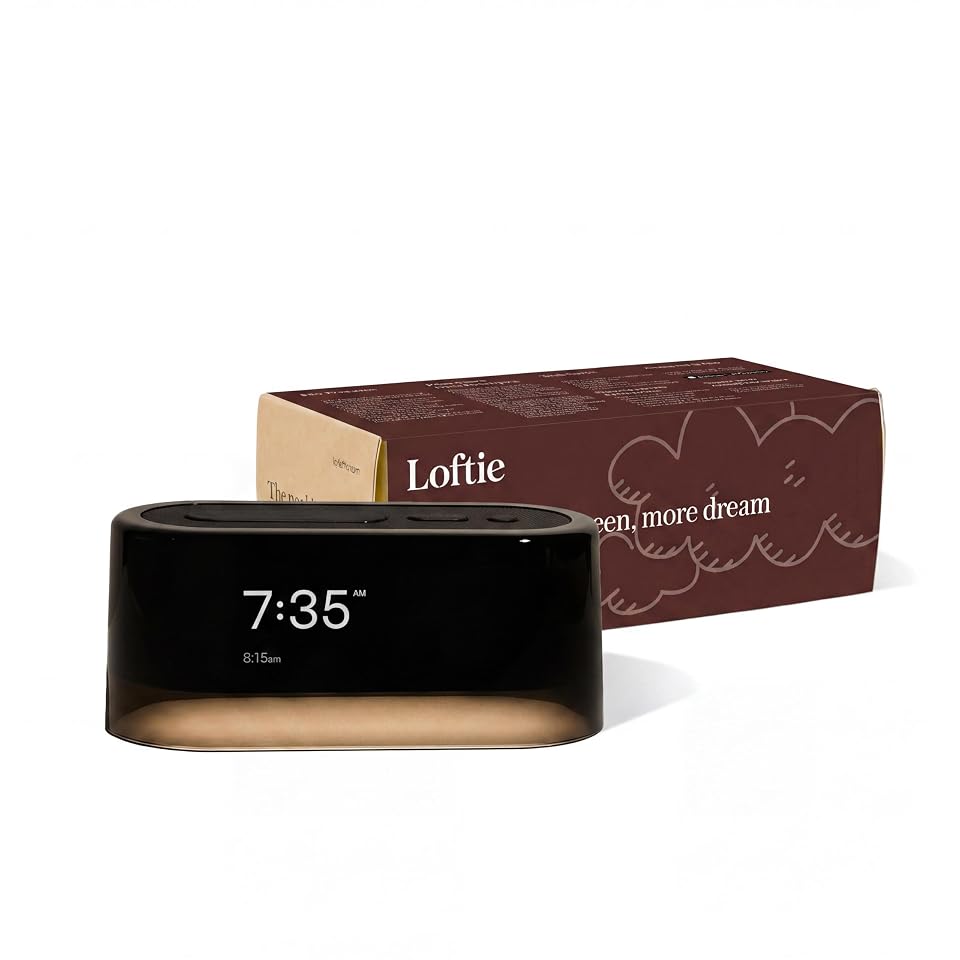
A sound-focused clock with a two-stage alarm, blackout display, and a built-in nightlight. Consider it when controls on the clock matter more than sunrise simulation, and complete its app setup before using the documented offline mode.
Clock, Black

Standalone sunrise with FM radio
Philips SmartSleep Wake-up Light
Consider the HF3520/60 when you want sunrise settings, two alarm profiles, and FM radio handled at the bedside. Its saved-time backup helps after a brief interruption, while the light and sound still belong in a plugged-in setup.
HF3520/60, White

Weekly sunrise schedule without an app
Lumie Bodyclock Shine 300
A standalone sunrise clock with daily or weekly schedules, a 15-to-90-minute ramp, fifteen sounds and FM radio. Choose it for local configuration and varied wake times, while allowing time to learn its screen menus.
Shine 300, US model
What Matters When Choosing an Alarm Clock
Give the Clock a Specific Job
List what you want to change about your current setup. You might want to leave a phone outside the bedroom, add a sunrise lamp, reach a physical snooze button, or stop evening audio with a timer. A dedicated clock earns its space when its actual controls solve one of those problems.
If you want a bedroom sunrise without setting up a phone, the Philips HF3520/60 lets you manage two alarms at the bedside. The Lumie Shine 300 gives you a weekly schedule and a 15- to 90-minute ramp. Loftie’s two-stage sound alarm and nightlight suit a different wake-up routine. Decide whether a changing light level is essential before paying for sound or connected features.
If your existing alarm already handles the wake-up routine you want, a larger content library or decorative light may add little value. Compare the function you expect to use every day before paying for additional routines. In a shared room, include the other sleeper’s preferred light-start time and sound settings in that decision.
Check the Sunrise, Display, and Bedside Light Separately
A sunrise feature gradually changes lamp brightness before the alarm. A nightlight gives low-level room illumination. The time display has its own visibility settings. Decide which of those functions you need, then look for independent controls so an unwanted glow can be adjusted without disrupting the morning alarm.
For sunrise models, compare the available ramp durations, final brightness, and placement instructions. Our sunrise alarm clock guide includes a start-time calculator that works backward from your alarm time. It helps you identify when the light begins, including a ramp that starts on the previous day.
Make the Bedside Controls Part of the Purchase
Identify how you reveal the time, change volume, snooze, stop the current alarm, and disable a future one. A large top button may perform several actions depending on whether you tap, hold, or turn it. Find out which everyday adjustments are available on the clock and which need an app.
A display described as dimmable may still differ from one that turns fully off. Also check small status lights and any temporary display that appears after a tap. Our guide to display brightness, sound, and bedside controls provides a setup checklist for confirming those functions from your normal position in bed.
Separate Initial Setup From Daily Use
Check supported phones, accounts, and network requirements before choosing a connected model. Being able to stop an alarm without touching your phone does not tell you whether the phone is needed to create the alarm or change the routine later. Consider how often you alter weekdays, wake times, or sound choices.
For a simpler setup, compare clocks with local settings and built-in sounds. For a connected setup, identify the features you expect the app to add. Keep the exact model and generation in view; a family name such as SmartSleep does not establish the connection requirements of every product bearing that name.
Read the Backup-Power Description Closely
Check whether a backup keeps the time and settings, sounds an alarm, or also operates the lamp. Those are different capabilities. A memory battery can save a schedule without supplying enough power to run the clock’s normal functions. A brief time-retention specification needs to stay separate from an operating-runtime claim.
Our smart alarm clock app, privacy, and offline-use guide separates internet loss, phone access, and loss of mains power. If an outage could leave you without the alarm you need, include an independently powered backup in your plan and confirm its operation before relying on it.
Price the Routine You Will Keep
Compare the purchase price with any continuing membership, replacement adapter, or other accessory you would need. For subscriptions, identify the included sounds and light settings you would use after a trial ends. A large advertised library is less relevant than whether your chosen everyday routine remains available.
Before ordering, check the selected Amazon variation, seller, condition, included power supply, warranty eligibility, and opened-product return terms. Also measure the bedside space. Leave room for the base, cable, and controls without putting the clock where reaching for a button could tip it off the table.
Choose a Starting Point for Your Shortlist
Choose the requirement you would least want to compromise, then use the matching profile to check the details. Each route below leads to a different arrangement of light, sound, controls, and connected features.
Start with the routine you want to build
- App-configured light and sound
- Start with Hatch Restore 3. Compare the included routine options with paid content, and confirm you want its phone and Wi-Fi setup.
- Sound alarms with a dark display
- Read the Loftie Clock profile. It offers a staged sound alarm and display blackout; its nightlight does not provide a sunrise ramp.
- Sunrise lighting without an app
- Compare the Philips SmartSleep HF3520/60. Check its on-device settings and the exact power-interruption limits before choosing it for your bedside.
- Weekly sunrise schedule without an app
- Consider the Lumie Bodyclock Shine 300. Set a different wake time or no alarm for each day, and choose the light ramp and audio on the clock.
How We Evaluate Smart Alarm Clocks
Our recommendations in this guide are research-based. Manufacturer manuals, exact-model specifications, material disclosures, app and subscription requirements, care guidance, and the identity of the linked retail version inform this comparison.
Choose the light function, controls and backup-power arrangement that suit your morning routine.
Materials
We consider the disclosed case, grille, fabric, and light-cover materials alongside cleaning requirements. A wood-look finish is treated as a finish unless the construction is documented otherwise. Useful disclosure explains which surface the owner handles and how to care for it.
Design & Function
We assess how the light, sound, display, alarm schedule, and power system work together. A feature receives value when it serves a clear bedside task. A clock focused on sound is assessed for that role, with the absence of a sunrise lamp made clear in the recommendation.
Use & Interaction
We review setup steps, physical controls, display settings, alarm changes, and the role of the phone app. Separate volume settings and clear alarm enablement help explain the daily routine. Network and account requirements remain part of that assessment.
Durability & Longevity
We examine care instructions, power supplies, replacement or service routes, warranty conditions, and ongoing software needs. These details support an ownership plan. A warranty term is considered alongside its seller and proof-of-purchase requirements, rather than used as a prediction of product lifespan.
Transparency & Trust
We check whether the retail version, model number, manual, and feature descriptions agree. Clear distinctions between settings memory and powered operation, included content and memberships, or a lamp and a nightlight make the product easier to evaluate. Exact-model documentation carries more weight than a broad family description.
A Closer Look at Each Pick
Custom sunrise and sound routines
Hatch Restore 3
Restore 3, Cocoa
Choose Restore 3 when a configurable sunrise and sound routine justify the connected setup. Give paid content value only when it adds something you expect to use regularly.
Price and availability last updated: 2026-11-25 at 15:29.
Materials
Hatch lists ABS plastic and fabric in the Restore 3 construction. Its fabric exterior is worth considering alongside bedside dust, drinks, and the care instructions supplied with the unit. Leave access to the controls and power connection when deciding where it will sit, especially on a crowded nightstand.
Design & Function
The Restore 3 alarm guide describes a sunrise with adjustable duration and brightness, followed by the selected alarm sound. Light and sound can also be disabled separately. Choose the wake time first, then check when your chosen light sequence begins so an early ramp does not surprise someone sharing the room.
The clock display can stay on, stay off, or follow an overnight off schedule, with a tap-to-show-time option. This display setting is separate from the sunrise lamp. Compare both at the settings you intend to use rather than treating one brightness adjustment as control over every light.
Use & Interaction
Turn the large top button to adjust volume, press it to snooze, and hold it to stop the alarm. Separate controls pause audio and enable or disable alarms. Learn those actions while awake and confirm the alarm toggle after changing tomorrow’s plans.
A phone and Hatch Sleep app are required for initial setup; the published network requirement is 2.4 GHz Wi-Fi. The app setup and subscription-trial step make this a more involved start than a standalone clock. Include access to the compatible phone in your ownership plan.
Durability & Longevity
Hatch provides Restore 3 firmware-update and recovery guidance. Keep the clock connected as instructed during an update, let the process finish, and confirm your saved alarms afterward. Save the device details and support link where you can reach them without searching through old packaging.
The limited warranty applies to eligible original purchases from Hatch or an authorized reseller. Check the seller and keep your receipt. This makes the support route part of the buying decision, particularly when comparing new, refurbished, and marketplace offers.
Transparency & Trust
Hatch’s current feature list separates included sounds and sunrise options from Hatch+ content. Check the actual routine you want against that list. Its setup guidance requires starting a subscription trial, which can be cancelled while retaining basic features; review the renewal terms shown during setup and record the cancellation route if you only want the included functions.
- Adjustable sunrise and alarm sound
- Volume dial and separate bedside controls
- Documented included and paid features
- App and Wi-Fi setup required
- Some content uses a paid plan
- Needs outlet power and a connection for updates
Sound alarms with controls on the clock
Loftie Clock
Clock, Black
Choose Loftie when sound alarms, an optional dark display, and controls on the device fit your routine. Choose a separate sunrise-capable option if gradual morning light is the feature you want most.
Price and availability last updated: 2026-11-25 at 19:25.
Materials
Loftie identifies a polycarbonate shell and steel top grille. The manual calls for a warm damp cloth and excludes solvents, with care to keep liquid out of openings. Place the clock where a bedside drink is unlikely to spill across the grille or controls.
Design & Function
The two-phase alarm uses two sounds separated by a snooze interval. You can set one-time or repeating alarms on the clock, and the next alarm time appears on its display. Decide whether that two-stage sequence matches the time you actually need to get out of bed.
Loftie explicitly identifies the Clock as a sound alarm rather than a sunrise alarm. Its nightlight can turn on with an alarm; a gradual sunrise is a function of the separate Loftie Lamp. Budget and bedside space for another device matter if gradual morning light is a requirement.
Use & Interaction
The clock offers adjustable volume, display brightness, and blackout mode. The app handles initial setup, while the clock’s own controls support ongoing use. Check how comfortably you can reach the buttons in your intended position and practice stopping an alarm before relying on the morning sequence.
Loftie documents Offline Mode after setup and correct time synchronization, retaining core features. Initial setup needs 2.4 GHz Wi-Fi. Confirm the sounds and alarm settings you need before changing modes, and keep a note of how to reconnect for later updates.
Durability & Longevity
Loftie includes a rechargeable backup battery but describes the clock as normally wall powered. Keep the supplied adapter accessible and treat backup as a function to check for your setup. A short unplugged check can show which functions operate, but it does not establish an overnight runtime.
Software updates require power and Wi-Fi; Loftie advises allowing time for them and says alarms cannot sound during a restart or update. Schedule that maintenance when you are awake. Its limited warranty covers eligible original purchasers from Loftie or authorized resellers in the US and Canada, so retain the purchase record.
Transparency & Trust
The current product guidance says a subscription is not required for the Clock’s alarms and sound library. Loftie+ adds optional app-based functions. Evaluate those separately from the bedside hardware, and read any trial offered with your purchase so a feature you do not need does not become an unexpected recurring cost.
- Alarm settings available on the clock
- Blackout display and adjustable nightlight
- Documented offline mode after setup
- Initial setup needs an app and Wi-Fi
- Clock alone does not simulate sunrise
- Alarms cannot sound during an update or restart
Standalone sunrise with FM radio
Philips SmartSleep Wake-up Light
HF3520/60, White
Choose the HF3520/60 when its bedside controls, adjustable sunrise and radio match your routine. No phone app is needed to manage its alarm and light settings.
Price and availability last updated: 2026-11-25 at 15:29.
Materials
The exact HF3520/60 listing identifies plastic construction, and Philips lists rubber feet. Allow a stable, clear spot on the table where you can reach the controls without sliding the clock toward the edge. The material description helps set expectations about its construction; the practical question is whether the shape and control access fit your bedside arrangement.
Design & Function
Philips documents two alarm times, 20 lamp brightness settings, and an adjustable 20-to-40-minute sunrise. The light ramp and final brightness give you separate choices: how early illumination begins and how bright it becomes. Set them with the room and anyone sharing it in mind.
The five natural wake-up sounds and FM radio offer a choice between built-in audio and a radio station. If radio is part of your plan, check reception at the intended location during setup. A clock that fits the table still needs to receive the station you want.
Use & Interaction
The manual distinguishes tap snooze from the alarm buttons: snooze mutes sound for nine minutes while the lamp stays on; pressing an alarm button during sounding disables that alarm. Practice the intended action while awake and check the alarm icon afterward.
Its specifications list no phone app control or iPhone charging. Plan to make changes on the clock and keep a separate phone charger if needed. This arrangement suits someone who wants the bedside controls to carry the routine, including occasional alarm-time adjustments.
Durability & Longevity
For care, Philips specifies a soft cloth and avoiding abrasive cleaners and solvents. The manual also provides a full two-year warranty and says the adapter is the only user-serviceable part. That support is useful, while the reliance on service for internal parts remains the meaningful longevity constraint. Keep the receipt and exact model number if the lamp or controls develop a problem.
The clock-time backup lasts up to eight hours according to the manual. Treat that as retained time during an interruption. If an alarm must sound while electricity is unavailable, choose a separate backup that can operate without mains power.
Transparency & Trust
The HF3520/60 support page links its manual and model-specific help. Use that identity when comparing offers, particularly because other SmartSleep models have different control systems. The documentation gives this pick a clear ownership path: save the manual, learn the alarm buttons, and confirm the seller’s return conditions before the first setup trial.
- Adjustable sunrise and two alarm profiles
- Five wake sounds plus FM radio
- Exact-model manual and support
- Snoozing and disabling the alarm use different controls
- Time backup does not power the alarm
- Internal parts are not user-serviceable
Weekly sunrise schedule without an app
Lumie Bodyclock Shine 300
Shine 300, US model
Choose Shine 300 when a weekly schedule and a broad light-ramp range are more useful than an app or a paid sound library. Its appeal is control over the routine, provided you are comfortable learning the menus and keeping it connected to outlet power.
Price and availability last updated: 2026-11-25 at 18:49.
Materials
The linked US model has a plastic light globe and gray speaker cloth, giving the light and audio sections distinct surfaces. This is ordinary, suitable construction for a bedside device rather than a reason to mark it down for being plastic. Keep drinks away from the cloth and leave space to reach the controls without pushing the clock toward the table edge.
Design & Function
The US product page lists a 15-to-90-minute sunrise and sunset, fifteen sounds and FM radio. The adjustable ramp and daily or weekly scheduling give you more choices than a single daily alarm. Its ramp range is wider than the selected Philips model’s.
Choose whether audio accompanies the light, then set the final lamp intensity for the room you share. The light-sensitive display can dim independently of the sunrise routine. Decide which features matter before filling the nightstand with a clock whose controls you will rarely use.
Use & Interaction
Configuration uses the clock’s screen menus and physical buttons. This avoids phone setup, but still requires working through settings rather than turning one simple alarm dial.
The manual distinguishes a daily alarm that you enable at bedtime from a weekly schedule that activates automatically. Use the weekly mode for a repeating routine, and confirm the next alarm shown after a change. Practice the stop and snooze actions while awake before relying on them in the morning.
Durability & Longevity
Lumie provides a three-year manufacturing-defect warranty in its manual and sells the matching replacement power adapter. An available adapter gives owners a practical replacement route if that external component fails. Keep the receipt and check the warranty terms for the seller you select.
The manual specifies dry or lightly damp wiping and directs LED faults to Lumie. Internal LEDs are not a user-replacement task. Its time retention is thirty minutes without power, with other settings saved; use a separately powered alarm if an outage must not interrupt your wake-up routine.
Transparency & Trust
The model-specific US manual covers scheduling, power behavior, cleaning and service. Match Shine 300 rather than a similarly named Glow, Rise or Luxe model. Their features differ, and a brand-level description does not identify the clock you are buying.
- Daily or weekly scheduling on the clock
- 15-to-90-minute sunrise and sunset
- Three-year warranty and replacement adapter route
- Menus take time to learn
- Time retention does not power the alarm
- Internal LEDs require manufacturer service
Set Up the Routine Before the First Morning
Confirm the Saved Alarm While You Are Awake
Follow the manual, set a temporary alarm, and check its sound, enabled state, and controls. After the check, remove the temporary entry and confirm the real wake time and selected days. If you changed settings through an app, make sure the clock received those changes.
Check Light From the Bed
Set the lamp at the distance and position described for the model. Check the view from your pillow and the effect on the other side of a shared bed. Adjust the permitted light settings instead of covering the lamp. Keep any ventilation openings clear and use the specified power supply.
Change One Setting at a Time
If the display is too bright, identify whether the time digits, a status light, or the lamp is responsible. If the sunrise starts too early, review its duration and end time. A short note of the setting and what you noticed helps you make a relevant adjustment instead of changing several controls at once.
Keep Ownership Details Together
Save the model number, receipt, manual, and any membership renewal details. Keep the approved cleaning instructions available, especially for fabric-covered or textured cases. Recheck alarm settings after moving the clock, restoring power, changing a routine, or completing an update that affects operation.
Smart Alarm Clock FAQs
Which clock should I consider first?
Start with your main requirement. Hatch Restore 3 suits a shortlist built around app-configured light and sound. Loftie offers a sound-focused approach with display blackout. Philips HF3520/60 is an option for on-device sunrise settings, while Lumie Shine 300 adds a weekly schedule and longer adjustable ramp. Read the conditions in the matching profile before choosing.
Do all four clocks have a sunrise lamp?
No. Loftie documents a nightlight and no built-in sunrise lamp. Hatch Restore 3, Philips HF3520/60, and Lumie Shine 300 have sunrise-light functions. That difference matters more than a general smart-clock label.
Can I leave my phone outside the bedroom?
Check both daily controls and initial setup. A clock may let you stop or snooze an alarm on the device while still requiring a compatible phone for configuration. The profiles distinguish connected setup from local operation, and the app guide above gives you a dependency checklist.
Will a battery backup keep the sunrise running?
Only if the exact product documents that function. Some backup arrangements preserve the time or settings while the lamp and alarm need outlet power. Compare the supported functions and conditions rather than treating every battery or backup label as equivalent.
Do I need a paid sound subscription?
Choose the sounds and routines you want, then check which are included with the specific clock. Hatch distinguishes included options from Hatch+ content. A trial or optional membership should be evaluated separately from the price of the hardware. Keep the cancellation route and renewal date with your setup notes.
How long should I set the sunrise?
Use a duration your clock supports and check when that makes the light begin. For example, a 30-minute ramp finishing at 6:30 AM starts at 6:00 AM. The sunrise guide above explains the timing and placement checks; a longer duration is not automatically a better fit for your room or shared schedule.
Which alarm features matter if I sleep through sound alone?
Start with how the alarm combines light and sound, and check what happens to your alarm settings during a power outage. Check how the light and sound work together, then confirm your saved alarm and any backup you need. Light intensity, timing and sound preferences vary by sleeper.
Important: This article provides general information, not individualized medical, safety, installation, legal, or other professional advice. Product specifications, instructions, and safety information can change; verify current information with the manufacturer and consult an appropriately qualified professional when needed. See our Terms and Conditions for additional information.