
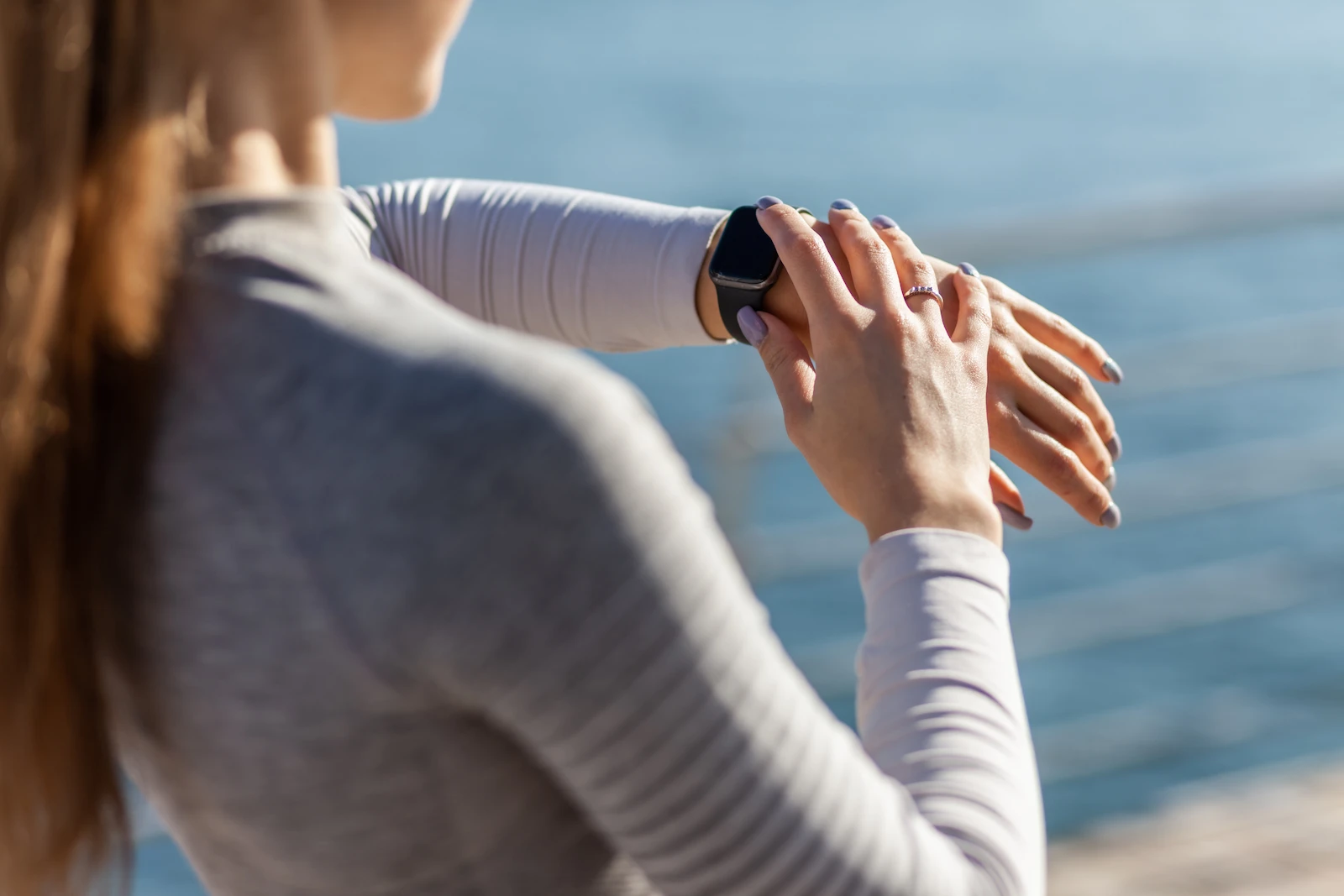
A smartwatch pairs with your phone to put things like notifications and activity tracking on your wrist. You might wear the same watch through a workday, a workout and a night of sleep. A large display can be easy to read outdoors and still feel bulky under a sleeve. A watch that needs frequent charging can fit neatly into a morning shower routine, or miss the overnight readings you bought it for.
Your phone shapes the choice before you ever pick a watch face. Apple Watch pairs with iPhone. A compatible Galaxy phone opens up the closest integration for Samsung’s watch. Garmin’s selected model works with either phone platform, though some connected features still need the phone nearby.
This guide compares four watches across those everyday decisions. We look at case size, the conditions behind battery-life figures and which features belong to the watch, its companion app or the connected phone. Those details help explain what you’ll actually have on your wrist when you leave the house.
Smartwatch Comparison: Features and Tradeoffs
We evaluated these watches using The Hearthful Standard, considering construction, functions, everyday wear, charging and support requirements, and the clarity of feature claims. We selected Apple Watch Series 11 for its smaller iPhone-compatible design and everyday apps, and Ultra 3 for additional battery capacity and outdoor controls. Samsung Galaxy Watch9 offers close integration with compatible Galaxy phones. Garmin Venu 4 earned its place for health and workout features with longer advertised battery life and support for iPhone or Android. Phone requirements and battery-mode conditions remain part of each recommendation.
Some links in this guide are affiliate links. If you purchase through them, The Hearthful Home may earn a small commission at no additional cost to you. As an Amazon Associate, we earn from qualifying purchases.

Smaller iPhone design, daily charging
Apple Watch Series 11
The smaller Series 11 fits an iPhone routine with activity, sleep, and everyday apps in one place. It suits regular wear and a planned daily charging window; this GPS version relies on the phone or Wi-Fi for connected features.
GPS 42mm · Silver · MEU64LW/A

Longer battery, larger case
Apple Watch Ultra 3
Ultra 3 adds battery headroom, outdoor controls, and navigation tools to the iPhone experience. Its larger case makes the upgrade a question of fit as well as features, especially if you plan to wear it through the night.
49mm · Black · MF1H4LW/A

Galaxy integration, phone-specific limits
Samsung Galaxy Watch9
Watch9 brings apps and health features to Android, with the closest integration on a compatible Galaxy phone. Check the features you want against that phone, then plan a charging routine around display settings and overnight wear.
44mm Bluetooth · Graphite

Longer wear between charges, phone-linked calls
Garmin Venu 4
Venu 4 suits a routine built around health history, workouts, and fewer charging breaks. It works with iPhone or Android, while calls and several connected actions still depend on the paired phone. Its longer battery claims also depend on the display mode.
45mm · Slate · 010-03014-00
What Actually Matters in a Smartwatch
A smartwatch is both a wearable object and part of a phone-and-app system. Judge the physical fit and the connected routine together. The questions below help narrow the choice, while the supporting guides handle the detailed settings, measurements, and upgrade decisions.
Start With the Phone You Already Own
A watch that pairs with your phone may still restrict particular apps, replies, or health functions. Check the exact model, phone software, companion app, and region before comparing premium materials or extra sensors.
For an iPhone household, the smaller Series 11 and larger Ultra 3 offer a choice between a lighter everyday format and more battery headroom. If you use Android, check the Galaxy Watch9’s phone-specific feature requirements before buying it for a particular reading. Garmin’s Venu 4 is another option if longer intervals between charges matter more to you than keeping every function in the phone maker’s ecosystem.
Apple’s archived Series 11 specification requires iPhone 11 or later, including iPhone SE from the second generation onward, with iOS 26 or later. Samsung and Garmin have their own requirements and feature differences. Our smartwatch phone compatibility guide explains those checks without treating basic pairing as full feature access.
Choose the Health Information You Will Actually Use
Activity history, heart-rate trends, and sleep timing can provide a useful starting point. Decide what you would do with that information before adding another metric. A weekly pattern that changes a routine may be more valuable than a score you check once and then ignore.
Some features need several nights of wear or additional setup before they provide a result. Others have age or regional limits. Our health-tracking feature guide helps separate the underlying measurement from the interpretation shown in the app.
Keep Tracking Accuracy Separate From Feature Count
A watch can include a sensor without measuring every person or activity equally well. Fit, movement, the chosen metric, and the conditions of a validation study all matter.
The American Academy of Sleep Medicine position on consumer sleep technology emphasizes appropriate evaluation and clinical context. Our heart-rate and sleep accuracy guide explains how to read evidence, including the distinction between everyday estimates and a specific regulated feature.
Check the Entire Wearing Setup
Case width, thickness, weight, strap range, and the way the lugs sit on your wrist all affect fit. A larger display can be useful, while the same case may be awkward under a sleeve or against a pillow. Compare the complete watch and band where possible.
Apple’s fit guidance illustrates why contact and adjustment matter. Our smartwatch size and comfort guide applies those practical checks to everyday wear, exercise, and sleep. A premium case material cannot compensate for a poor fit.
Compare Battery Modes, Then Plan Charging
An up-to number describes a particular scenario. Always-on display, GPS recording, music, cellular activity, and power-saving settings can create very different results. Compare the mode you intend to use instead of putting one watch’s normal-use figure beside another’s maximum saving mode.
Charging speed matters when you want overnight tracking without leaving the watch off for long. Our battery life and charging guide helps translate the claims into a routine built around your workouts, sleep, and available charging breaks.
Decide What Belongs on Your Wrist
Notifications, calls, payments, timers, music, and navigation can make a watch useful between workouts. Start with a short list of actions that save a repeated reach for the phone. The right set of controls depends on what you actually do during a normal day.
Check whether each task needs the phone nearby, an internet connection, a compatible app, or an activated service. A microphone does not establish independent calling, and downloadable music may have service-specific requirements. Those distinctions are more useful than a general smart-feature count.
Review the Data and Account Setup
Health history may involve the watch, its companion app, a manufacturer account, and other services you connect. Consider which permissions are necessary for the features you want and which sharing connections are optional. Keep account access and recovery details manageable from the start.
Our smartwatch privacy guide covers permissions, location, sharing, cloud copies, and deletion controls. A practical privacy setup is one you can understand and revisit when you add an app or change phones.
Pay for Upgrades With a Specific Purpose
Cellular service, additional navigation tools, premium case materials, music services, and coaching subscriptions solve different problems. Decide which problem the extra spending will address. An included trial should be evaluated separately from the features available after it ends.
Use our smartwatch upgrade guide to consider the purchase price together with carrier service, subscriptions, bands, chargers, and optional coverage. A useful upgrade should make sense across the ownership period you expect.
Check Care, Service, and Water-Use Limits
A replaceable strap, readable care instructions, and an accessible service route are useful ownership details. Check how the charger connects, how to clean the band, and what support applies to the exact model and sales region. Warranty length alone does not predict service life.
Water ratings also need activity-specific instructions. Apple’s water-resistance guidance explains that resistance can change over time and that permitted activities differ by model. Apply the same exact-model approach to the Samsung and Garmin manuals rather than treating every water-resistant watch as interchangeable.
How We Evaluate Smartwatches
Our recommendations in this guide are research-based. Manufacturer specifications, model-specific manuals, health-feature documentation, and authoritative guidance form the evidence base for this comparison.
A product is assessed on how well its documented design serves its intended role, including daily wear, useful tracking, and ongoing ownership.
Manufacturer battery, material, display, health-feature, water-resistance, and warranty claims remain attributed to their sources. We use the requirements and conditions attached to those claims to explain the comparison. The product profiles distinguish ordinary health estimates from specific features with defined eligibility and intended uses.
Materials
Case, glass, band, fastening, and documented construction. We consider the parts you wear and maintain together, including replacement-band options and how clearly the selected configuration is described.
Design & Function
How tracking, controls, phone integration, battery strategy, and connected functions work together for the intended user. A focused set of useful capabilities can matter more than the largest feature list.
Use & Interaction
Setup, controls, notifications, charging, strap adjustment, and the documented app workflow. We assess the demands these place on a routine while keeping comfort and usability judgments distinct from owner-tested observations.
Durability & Longevity
Replaceable wear items, care instructions, charging hardware, service access, warranty terms, and software dependence. The care and service provisions tell you which parts can be maintained or replaced.
Transparency & Trust
Clear model identification, battery conditions, phone requirements, feature eligibility, data controls, and service information. Documentation earns credit when it helps a buyer understand what the selected watch can do on their setup.
A Closer Look at Each Pick
Smaller iPhone design, daily charging
Apple Watch Series 11
GPS 42mm · Silver · MEU64LW/A
Choose Series 11 when you want an everyday iPhone companion and can maintain a regular charge. Its smaller configuration is a practical starting point for daily and overnight wear, with a wide feature set that does not require buying the Ultra’s outdoor hardware.
Price and availability last updated: 2026-11-23 at 03:20.
Materials
The selected 42mm GPS model in silver aluminum, with a Purple Fog S/M Sport Band, has an Ion-X glass front. Apple reserves sapphire for the titanium Series 11 versions, so that material distinction matters when comparing listings. The archived Series 11 specifications also identify the smaller case separately from the 46mm option.
The included Sport Band uses fluoroelastomer, as identified in Apple’s wearing and materials guidance. A replaceable band lets you adapt the fit and fastening style later. Paying more for a case finish does not resolve a strap that is too tight, too loose, or poorly suited to overnight wear.
Design & Function
Series 11 combines a touchscreen, Digital Crown, and side button with Apple’s watch app ecosystem. That combination earns its place through everyday tasks as much as health tracking: the useful question is which actions you would actually move from your phone to your wrist.
The selected watch is GPS-only. It does not gain independent cellular service by adding a carrier plan. If leaving the phone behind is central to the purchase, compare the separate cellular version and the ongoing costs of smartwatch upgrades before choosing this configuration.
Use & Interaction
Apple’s Series 11 specification and model-specific battery test notes give up to 24 hours of normal use. Apple lists approximately 30 minutes from zero to 80% for Series 11 with the appropriate fast-charging equipment. Its charging guidance specifies the cable and power requirements.
Keep the first setup selective. A few relevant alerts and clear activity goals are easier to evaluate than a wrist full of notifications. Our smartwatch battery guide explains how display settings, workouts, and overnight wear can change the charging schedule.
Durability & Longevity
Replaceable bands and established service routes support ownership beyond the first strap or battery. Apple Watch service information outlines repair options, while its US limited warranty covers qualifying defects under stated terms. Battery wear and accidental damage need their own coverage check.
It is not a prediction that the watch will last a set number of years. Keep the charger, sensor area, and band clean, and make software updates part of the ownership routine.
Transparency & Trust
Apple provides detailed feature eligibility pages, which matter more than a broad list of sensors. For example, its hypertension notification guidance explains a pattern-based notification with defined eligibility. That feature does not produce a cuff-style blood-pressure reading.
The selected US part number ends in LW/A. Apple’s Blood Oxygen guidance explains that these models analyze measurements on the paired iPhone and show results in Health with current iOS and watchOS software. Those specific conditions make the feature easier to evaluate than a simple included-or-missing label.
- Smaller 42mm option within the Series 11 lineup.
- Established iPhone app and notification workflow.
- Fast charging supports planned breaks between wear periods.
- Replaceable bands and documented service options.
- Detailed feature eligibility and measurement guidance.
- Requires a compatible iPhone for normal pairing.
- Regular charging needs a place in the daily routine.
- Selected GPS version has no independent cellular service.
- Aluminum configuration uses Ion-X rather than sapphire.
- Health features have individual age, region, and setup requirements.
Longer battery, larger case
Apple Watch Ultra 3
49mm · Black · MF1H4LW/A
Choose Ultra 3 for the added battery margin and outdoor features if the 49mm case fits comfortably. Series 11 remains the more compact route into the everyday iPhone experience; the Ultra earns its place when its extra capabilities will be used.
Price and availability last updated: 2026-11-25 at 09:27.
Materials
The archived Ultra 3 specifications identify a 49mm titanium case and flat sapphire crystal. Those materials support its outdoor positioning, while the larger footprint is the more immediate consideration for sleeves, wrist movement, and sleep.
Apple describes the Trail Loop band family as a nylon weave with stretch and an adjustable pull tab. The bundled M/L size still needs to fit your wrist. Flexible adjustment can be useful, but it does not make a large case disappear or establish comfort for every wearer.
Design & Function
Dual-frequency GPS and the customizable Action button give the Ultra a clearer role for people who use navigation or want direct access to an outdoor task. These are reasons to consider the upgrade when they match your activities, rather than treating a higher price as a health-tracking requirement.
Satellite functions have separate service conditions. Emergency SOS via satellite does not require an active carrier plan, while Messages and Find My via satellite do. Apple’s satellite overview explains the included period and service requirements. Check the specific function and region before relying on it away from a phone connection.
Use & Interaction
The Ultra 3 specification and model-specific battery scenarios give up to 42 hours of normal use or 72 hours in Low Power Mode under Apple’s stated conditions. The black titanium version here has a Black/Charcoal M/L Trail Loop. The larger body creates room for its display and controls, but wrist fit deserves an early check. Our size and comfort guide explains why case overhang, strap adjustment, and sleep position can matter more than the diagonal screen measurement.
Apple claims about 45 minutes from zero to 80% with suitable fast-charging equipment. The charging instructions are worth checking if you expect short top-ups to support extended wear. More battery headroom offers flexibility; it does not remove charging from the routine.
Durability & Longevity
Apple’s water-resistance guidance permits specific activities under stated conditions and explains that resistance can diminish. The Ultra’s recreational diving capability is limited to the documented depth and requirements. A depth rating should not be read as permission for every underwater activity.
The same Apple service network supports ownership, but repairs, battery wear, and accidental damage still have separate terms. For everyday use, inspect the band fastening and keep the watch clean rather than assuming its outdoor design eliminates ordinary care.
Transparency & Trust
Apple separates core hardware, battery scenarios, and feature availability in its documentation. That helps clarify what the premium buys. Much of the everyday heart and sleep feature set overlaps with Series 11, so the Ultra’s stronger case materials and outdoor design should carry the upgrade decision.
Our tracking accuracy guide explains how to interpret a wearable’s readings and what changes from person to person. Consider the exact metric and evidence separately from the physical package.
- More normal-use battery headroom than Series 11.
- Titanium case and sapphire front.
- Action button and dual-frequency GPS support outdoor tasks.
- Adjustable Trail Loop in the selected configuration.
- Detailed guidance for service, satellite functions, and water use.
- Large case needs careful checking for daily and sleep comfort.
- Requires a compatible iPhone.
- Cellular and satellite functions have separate service conditions.
- Much of the everyday health suite overlaps with Series 11.
- Outdoor capability still requires charging, maintenance, and planning.
Galaxy integration, phone-specific limits
Samsung Galaxy Watch9
44mm Bluetooth · Graphite
Choose Watch9 when its Android apps and Galaxy integration fit the phone you already own. Its value is strongest when the desired health features are supported on that exact setup and the charging routine works with the way you plan to wear it.
Price and availability last updated: 2026-11-25 at 09:27.
Materials
Samsung specifies an aluminum case and sapphire crystal for Watch9. The US Watch9 page also describes its band attachment and flexible Sport Band. The practical question is how that case and strap fit together on your wrist during the activities you do most.
Sapphire is a meaningful construction detail, but glass choice alone does not establish total durability or comfort. Check replacement-band compatibility for this generation and allow enough adjustment for daily wear, exercise, and changing wrist conditions.
Design & Function
The Watch9 announcement and specifications distinguish the 44mm Graphite Bluetooth model from the LTE version. The watch uses Wear OS with Samsung’s interface and offers dual-frequency GPS. That gives it a broad connected role for an Android user. Evaluate the few apps and actions you expect to use first, then decide whether additional coaching and health summaries add value.
Samsung Health Monitor guidance sets out compatible phone requirements and eligibility for specific functions. ECG and other supported assessments should be checked individually. A feature listed for the product family should not be assumed available on every Android phone.
Use & Interaction
Samsung’s 44mm battery specifications list up to 40 hours with the always-on display off and up to 30 hours with it on. Those are manufacturer runtime estimates under stated conditions. Workouts, communications, settings, and sleep use can change the interval between charges.
Samsung’s health interface can support a useful daily check-in, but it also needs time and setup. For example, the company describes a multi-night baseline for its Vitals feature. Keep only the summaries you understand and expect to use, rather than making every available score part of the routine.
Durability & Longevity
Bands, charging access, and software support are the ownership details to examine before treating an attractive case as a long-term purchase. Confirm that replacement straps match the Watch9 attachment and keep the charger somewhere that supports your overnight tracking plan.
Warranty coverage should be checked for the exact US model, seller, and purchase channel. A short retail title is not a complete warranty description. Our upgrade and ownership-cost guide includes optional coverage and accessories alongside the purchase price.
Transparency & Trust
Samsung earns credit for publishing mode-specific battery figures and detailed health-function requirements. Some features require a compatible Samsung Galaxy phone, so check both the phone and the region for the health function you want. Our phone compatibility guide helps keep that check separate from the product’s general feature list.
Privacy also spans the watch, phone permissions, Samsung account, and any connected apps. Review the information a feature uses before enabling it. The privacy settings guide covers those layers without assuming a single watch setting controls every copy of the data.
- Broad Android app and notification role.
- Aluminum case with sapphire crystal.
- Dual-frequency GPS for supported outdoor recording.
- Detailed Samsung Health and phone integration.
- Separate published battery figures for display modes.
- Not an iPhone pairing option.
- Some functions require a compatible Samsung Galaxy phone.
- Selected Bluetooth version has no independent LTE service.
- Always-on display reduces the claimed runtime.
- Band compatibility and exact warranty terms need checking.
Longer wear between charges, phone-linked calls
Garmin Venu 4
45mm · Slate · 010-03014-00
Choose Venu 4 when fewer charging interruptions and a health-and-training routine matter more than independent cellular service. Check the 45mm fit and plan around the display mode and phone features you will actually use.
Price and availability last updated: 2026-11-25 at 09:27.
Materials
The exact-model specifications list Gorilla Glass 3, a stainless steel bezel, and a case combining stainless steel with fiber-reinforced polymer. The black silicone strap on this Slate 45mm version (010-03014-00) uses a standard 22mm quick-release fitting. That gives the materials assessment a clear set of parts to consider.
Garmin publishes 56g with the included band, which is more useful for this configuration than comparing it directly with another brand’s body-only weight. Fit still depends on wrist shape and strap adjustment. Use our comfort guide to compare the complete wearing setup.
Design & Function
The Venu 4 feature overview describes sleep, recovery and training guidance alongside music and a built-in flashlight. Recovery and readiness outputs are estimates that can help plan a workout alongside how you feel.
Calling and phone-assistant functions use a paired compatible phone. There is no LTE connection in this Venu 4. If phone-free communication is the priority, make that a separate selection requirement rather than assuming that a speaker and microphone provide independent service.
Use & Interaction
The Venu 4 battery manual lists up to 12 days in smartwatch mode for the 45mm version. Garmin’s 45mm specifications also list up to four days with the display always on. Those modes describe very different ownership routines, so keep the setting visible when comparing the headline number.
Music and satellite-based workout recording change the calculation further. The same manual lists a much shorter continuous-recording window when multiband tracking and music run together. Our runtime and charging guide explains how to judge those separate modes against your own week.
Durability & Longevity
Standard quick-release bands make strap replacement straightforward to plan. The Venu 4 owner’s manual covers band changes, charging, cleaning, and water-use limits. Those instructions are a better basis for ownership than treating a swim rating as a universal waterproof claim.
Garmin’s consumer warranty sets out qualifying defect coverage and exclusions, including ordinary wear. Wear items can be replaced, but battery aging and the cost of a later repair still matter.
Transparency & Trust
Garmin distinguishes watch sizes, battery modes, and phone-dependent functions in its documentation. Its Garmin Connect phone requirements should be checked against your current phone software before ordering. Working with both phone platforms does not mean every interaction is identical.
For example, the product specifications mark direct text replies as Android-only. That can matter more to an iPhone user than another training metric. Our health-feature guide helps separate useful tracking from extras that may contribute little to your daily routine.
- Longer claimed smartwatch runtime between charges.
- Supports compatible iPhone and Android phones.
- Standard 22mm quick-release bands.
- Training context, music support, and a built-in flashlight.
- Detailed battery-mode and ownership documentation.
- Always-on display substantially changes the runtime claim.
- Calls depend on a paired compatible phone.
- Direct text replies are limited to Android.
- 45mm size needs checking for overnight comfort.
- Training and wellness estimates need context to be useful.
Tips for Better Smartwatch Ownership
The right watch becomes more useful when its settings fit your day. Start with a manageable routine, give features time to establish any required baseline, and revisit the setup when your activities or phone change.
Check Fit During More Than One Activity
Try the watch while typing, walking, exercising, and getting ready for sleep. Adjust the strap according to the manufacturer’s guidance and check that the case does not shift excessively or press uncomfortably. Our fit guide covers the common sizing and band tradeoffs.
If a strap causes discomfort, revisit the fit and material choice instead of assuming tighter is always better. Keep the watch and band clean and allow skin and damp materials to dry as instructed.
Build a Charging Window Before the First Busy Week
Choose a time when you can regularly remove the watch without losing the tracking you value. Then check how much charge that window actually restores with your cable and adapter. A manufacturer fast-charge claim applies only with suitable equipment.
After a few normal days, adjust the plan around workouts, display settings, and sleep. Our battery guide helps compare those real scheduling needs with the published modes.
Start With a Small Notification List
Enable the alerts you need to act on and leave the rest for the phone. Review the result after a normal workday and an evening at home. The useful balance may change with your schedule, and the watch should support that balance rather than make every app equally prominent.
Set Up Sharing Deliberately
Review the companion app, phone permissions, account security, and connected services together. Recheck the arrangement when adding an app or replacing a phone. Our privacy settings guide explains which controls operate at each layer.
Keep the Band and Charging Contacts Clean
Use the care instructions for the exact watch and strap. Apple’s cleaning guidance distinguishes the watch from different band materials, while the Garmin and Samsung instructions should be checked for their own products. A routine that suits one strap should not automatically be applied to another.
Review Patterns Alongside How You Feel
Look for changes across comparable days and nights rather than making every isolated score a decision. Our accuracy guide explains measurement context and common sources of variation. Persistent symptoms deserve appropriate clinical advice even if the watch shows a reassuring result.
For a feature that supplies a specific notification or assessment, follow its instructions about eligibility and next steps. Keep that guidance separate from the general activity and wellness dashboard.
Smartwatch FAQs
How should I choose between these four smartwatches?
Start with your phone, then consider fit and charging. Series 11 is the smaller everyday iPhone option, Ultra 3 adds battery and outdoor capability, Watch9 fits an Android and Galaxy-centered routine, and Venu 4 prioritizes health and training continuity between charges.
Will Apple Watch Series 11 or Ultra 3 work with Android?
Neither is an Android pairing option. The Series 11 and Ultra 3 specifications require iPhone 11 or later, including iPhone SE from the second generation onward, with iOS 26 or later. Check the phone compatibility guide before purchasing around a future phone change.
Does Galaxy Watch9 work with every Android phone?
It requires a compatible Android phone and software, while some functions have additional Samsung Galaxy requirements. Confirm the companion app, desired health feature, and regional support separately. Basic pairing does not establish that every feature in Samsung’s product description is available.
Can Garmin Venu 4 work with an iPhone?
Yes, with a compatible iPhone and Garmin Connect setup. Some interactions differ from Android, including direct text replies. The selected Venu 4 also uses the paired phone for calls, so iPhone compatibility should not be confused with an independent cellular connection.
Does Ultra 3 provide better everyday health tracking than Series 11?
The two share much of the core everyday health feature set. Ultra 3 primarily adds a different physical design, more battery headroom, and outdoor functions. Those additions do not by themselves establish better heart-rate or sleep accuracy for every wearer.
Which watch offers the longest battery life?
Venu 4 has the longest claimed smartwatch-mode interval among these selections. Display and recording modes still matter. Compare the mode-specific figures in the product profiles, then use the battery guide to decide which claim resembles your own routine.
Do I need cellular service on a smartwatch?
It is useful when the supported phone-free tasks justify the hardware and service cost. The selected Series 11 GPS, Watch9 Bluetooth, and Venu 4 do not provide independent cellular service. Ultra 3 includes cellular-capable hardware, with activation and carrier terms considered separately.
Can I listen to music without carrying my phone?
Check the exact app, offline-download support, watch storage, and any required subscription. A music-control screen may simply control playback on the phone. Our premium-feature guide covers the difference between remote controls, on-watch playback, and ongoing service costs.
Do health features require subscriptions?
There is no single rule across all functions and services. Separate the watch’s included features from optional coaching, music, cellular service, and app subscriptions. Check what remains available after any trial and whether the extra service supports a routine you will maintain.
How accurate are smartwatch sleep and heart-rate readings?
Accuracy depends on the metric, device, wearer, activity, and comparison method. A sensor list or premium case is not enough to rank accuracy. Our tracking accuracy guide explains the evidence and why sleep stages, sleep timing, and heart-rate measurements need separate evaluation.
Can a smartwatch measure blood pressure?
Check the specific function rather than assuming every heart sensor produces blood-pressure values. Apple’s hypertension notifications and Samsung’s documented blood-pressure function have different methods and requirements. Read the Apple eligibility guidance and Samsung Health Monitor requirements for the feature available on your setup.
Are these smartwatches waterproof?
Use the manufacturer’s water-resistance rating and permitted activities for the exact model. Swimming, high-speed water activity, and diving are different use cases, and band suitability also varies. Water resistance can change with wear and damage, so a rating is not an unlimited guarantee.
Is a larger smartwatch more comfortable or easier to use?
A larger screen can make some interactions easier, but the case may interfere with sleeves, wrist movement, or sleep. Check strap range and the complete worn weight as well as case width. Our size and comfort guide helps compare those tradeoffs.
Which privacy settings should I review first?
Start with app permissions, location access, health-data sharing, account security, and connected services. Then check cloud storage and deletion controls. Our privacy guide explains why those settings need to be considered across the watch, phone, and account.
How can I compare the watches’ health features?
Start with the functions supported by your phone, the readings you actually want to track and how the manufacturer defines them. Check clinical claims against the clearance or documentation for that exact function.
Important: This article provides general information, not individualized medical, safety, installation, legal, or other professional advice. Product specifications, instructions, and safety information can change; verify current information with the manufacturer and consult an appropriately qualified professional when needed. See our Terms and Conditions for additional information.