
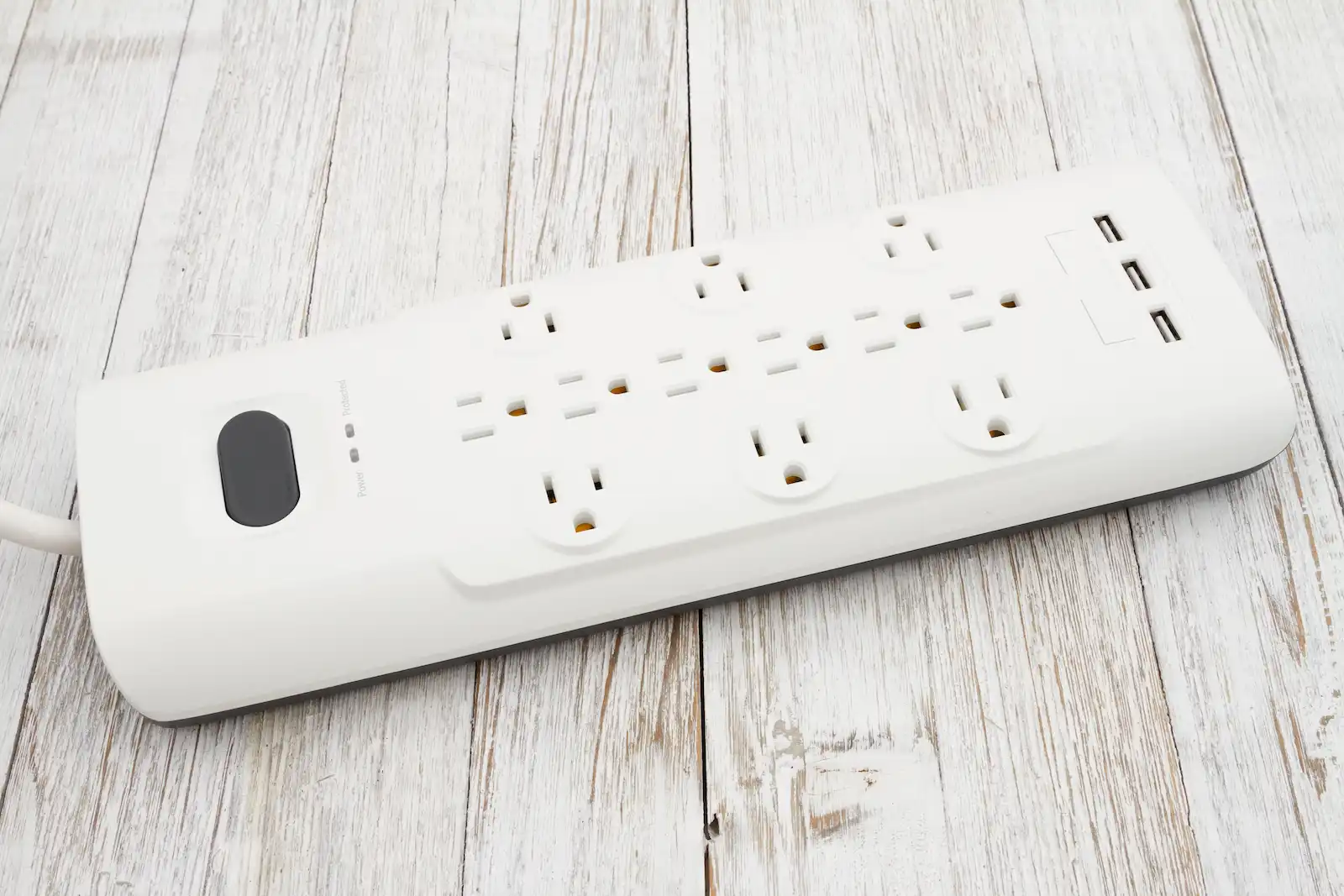
A desk can run out of outlets long before it runs out of things to plug in. Two wide adapters can crowd each other, a cord may need to reach behind a cabinet, and charging a phone beside a monitor can claim another socket unless the strip has USB ports of its own.
Layout and surge protection answer different buying questions. A strip’s size and socket arrangement tell you where the equipment will fit. Its ratings, protection indicator and documentation tell you about the protection it provides. Our guides to surge protector certification and joules and clamping voltage explain what to look for in those specifications.
The three designs here include a metal strip with a six-foot cord, a six-outlet unit that plugs directly into the wall and a desktop strip with shared USB charging. Each solves a different version of that crowded-desk problem.
Top Picks: Surge Protectors for Different Setups
We evaluated these surge protectors using The Hearthful Standard, considering construction, outlet design, everyday access, replacement needs, and the clarity of electrical specifications. We selected the Tripp Lite Isobar IBAR6-6D for its steel enclosure and isolated filter banks around fixed equipment. The SK6-0 adds six outlets directly at the wall without another corded strip. Anker A91F4 combines eight AC outlets with USB charging for a desk. Our recommendations also account for the Isobar’s lower 12-amp limit and Anker’s shared USB charging power.
Note: Some of the links in this post are affiliate links. If you decide to buy through them, I may earn a small commission at no extra cost to you. As an Amazon Associate, I earn from qualifying purchases. Thanks for supporting The Hearthful Home.

Six-foot cord for fixed equipment
Tripp Lite Isobar IBAR6-6D
Steel six-outlet strip with a six-foot cord and isolated filter banks for fixed equipment. Its 12-amp rating is lower than the other two picks.

Six outlets directly at the wall
Tripp Lite SK6-0
Direct-plug unit that adds six AC outlets without another corded strip, with a protection-status light and automatic shutoff. It has no USB charging ports.

AC and shared USB charging for a desk
Anker A91F4 Power Strip
Desk-oriented strip with eight AC outlets, two USB-C ports, and two USB-A ports. Its USB-C1 port supplies up to 35 watts alone, with power shared when more ports are used.
What Actually Matters When Buying a Surge Protector
A surge protector has to satisfy two separate tests. The exact model needs credible electrical and certification documentation, and the physical design has to fit the room without hiding indicators, blocking needed outlets, overloading the receptacle, or creating a cord path that will be pinched or pulled.
Verify the Exact Model and Certification
Start with the model number printed on the product or label, then match it to the manufacturer specification sheet and certification information. Similar names, color variants, older revisions, and retailer bundles can carry different joule ratings, outlet layouts, VPR values, USB systems, or shutoff behavior. UL Solutions explains that a power strip containing a surge protective device must additionally comply with UL 1449, while OSHA’s NRTL guidance explains what a recognized laboratory certification mark signifies.
A brand name by itself is not enough. Verify the mark and model instead of assuming every product in the same family carries the same certification or electrical limits.
Read Joules, VPR, and Protection Modes Separately
A joule figure is useful as one part of the documentation, but it does not reveal remaining protection or establish how tightly the device limits voltage. VPR or let-through values, protection modes, automatic-shutoff behavior, maximum surge current, and status indicators answer different questions. Compare the same electrical specifications across models and check what each listed rating covers.
Match the Form Factor to the Installation
A corded strip can reach and mount near fixed equipment, but the cord has to travel safely and remain accessible. A direct-plug unit removes that cable route but keeps the entire load at the wall receptacle. A desk strip makes outlets and charging ports easier to reach but occupies working space and may add USB-output sharing rules. The surge protector setup guide and flat-plug comparison separate those installation decisions.
For fixed electronics on a workbench, the Isobar IBAR6-6D has a six-foot cord, a steel housing and a 12-amp circuit breaker. Compare the load you plan to connect with its rating. If you want six outlets directly at the wall, check that the SK6-0 clears nearby plugs. For USB charging at a desk, compare the Anker’s shared port output with the devices you use together.
Check Normal Load Before Counting Outlets
Outlet count does not increase the circuit or product’s normal electrical capacity. Add the connected equipment load and keep it within the exact model’s amp and watt rating. Large power bricks can also block adjacent receptacles, so count usable plug positions rather than assuming every printed outlet will remain available.
Keep Status and Identification Visible
Power, grounded, protected, fault, and overload indicators can report different conditions. Read the exact manual and install the unit where the relevant indicator can still be seen. The model label, rating, and replacement information should also remain reachable after furniture and cables are in place.
Treat Replacement as Part of Ownership
A protector should not become permanent simply because it still supplies power. Replacement may be required after a failed protected-status indicator, automatic shutoff, physical damage, looseness, heat, odor, liquid exposure, a known event, or an instruction-specific condition. The surge protector replacement checklist organizes those signals without inventing one calendar interval for every model.
How We Evaluate Surge Protectors
Our recommendations in this guide are research-based. Manufacturer documentation, official support materials, and independent sources form the evidence base for this comparison.
We use the five core Hearthful Standard categories to compare surge protectors. Check the installation location, electrical load and plug arrangement before choosing the unit.
Manufacturer specifications, certification details, and warranty claims remain attributed and linked to the relevant source trail. Independent guidance is used where it helps explain electrical or installation context, and meaningful conflicts between model, seller, or manufacturer documentation are clearly noted.
Materials
We examine the enclosure, cord, plug, receptacles, switch and mounting hardware for the intended location. A heavy steel unit can offer useful physical support around fixed equipment, while a lighter molded enclosure may fit a desk or wall outlet better. Undisclosed resin or cord details affect the evidence assessment rather than proving poor construction.
Design & Function
We compare outlet layout, normal electrical capacity, indicators, breaker, mounting and charging behavior against the proposed installation. Protection modes, joules, voltage-limiting information and shutoff behavior are kept separate so one headline specification does not stand in for the whole design.
Use & Interaction
We consider usable plug spacing, adapter crowding, cord reach, wall leverage and access for inspection. Charging-output sharing and the ease of replacing a unit also matter when connections change regularly.
Durability & Longevity
We examine enclosure support, cord handling, status reporting, shutoff behavior, warranty and documented service options. A limited lifetime warranty does not establish an unlimited suppression life, and extra USB circuitry alone does not prove shorter service life.
Transparency & Trust
We check whether the exact model has clear electrical ratings, certification information, protection specifications and ownership instructions. Conflicting official figures and an unspecified certification standard reduce confidence in the documentation even when the product remains a useful fit for a particular installation.
A Closer Look at Each Pick
Six-foot cord for fixed equipment
Tripp Lite Isobar IBAR6-6D
Choose the IBAR6-6D when a rugged, mountable protector will stay with fixed equipment and its 12-amp electrical limit fits the connected load. Its main tradeoffs are weight, bulk, no USB charging, and model information that takes more care to verify.
Price and availability last updated: 2026-11-25 at 19:25.
Materials
The Tripp Lite specification sheet identifies an all-metal housing, a six-foot cord, a grounded NEMA 5-15P input and six NEMA 5-15R outlets. The steel enclosure weighs about 2.4 pounds. It can sit on a bench or floor or mount to a wall, but its bulk takes up space on a small charging desk.
Design & Function
The IBAR6-6D sheet documents six outlets, 3330 joules and three isolated filter banks, with a 120-volt, 12-amp, 1440-watt normal electrical limit. Four outlet positions accommodate transformer plugs, and the six-foot cord ends in a right-angle plug. Tripp Lite describes the isolated banks as reducing line-noise interaction; that manufacturer function claim is separate from the unit’s surge specification.
The 3330-joule figure is the manufacturer’s energy-handling specification. It does not establish remaining protection or a fixed service life, so keep the diagnostic indicators visible after mounting the strip.
Use & Interaction
The IBAR6-6D makes the most sense when equipment stays connected, the strip can be mounted with its status visible, and the cord route will not change frequently. Its wide metal body and heavy cable are less convenient for a small charging desk, travel or frequent plug changes.
Durability & Longevity
The original manufacturer sheet specifies a resettable breaker and a limited lifetime warranty alongside the steel housing. Those are useful ownership provisions, but the sheet does not describe replaceable suppression components or a user repair path. Keep the unit accessible for checking its physical condition and diagnostic lights rather than treating its enclosure or warranty as a permanent-protection guarantee.
Transparency & Trust
The selected Amazon listing identifies IBAR6-6D, matching the original Tripp Lite manufacturer sheet, which lists testing to UL 1449 third edition by ETL. That distinction identifies the standard and laboratory without calling it a UL laboratory listing. The selected retail page also contains both 3300- and 3330-joule figures; the exact-model sheet specifies 3330. This is the legacy IBAR6-6D, not the differently named ISOBAR6ULTRA.
Six outlets directly at the wall
Tripp Lite SK6-0
Choose the SK6-0 when an accessible wall outlet needs straightforward six-outlet AC expansion and removing a loose cord is the priority. Its main tradeoff is fixed placement: adapter crowding, wall leverage, and the lack of USB charging make it less versatile than a corded desk strip.
Price and availability last updated: 2026-11-25 at 19:25.
Materials
Eaton’s SK6-0 product information identifies a light-gray plastic enclosure, a direct NEMA 5-15P input and six NEMA 5-15R outputs. The unit weighs about 0.406 pound. With no cord to route, the receptacle itself supports the unit and any adapters plugged into it.
Design & Function
The SK6-0 specification sheet lists six outlets, two transformer-accommodation positions, a 15-amp breaker and 1800-watt output. It also identifies normal- and common-mode protection, a diagnostic LED, automatic shutoff and UL 1449 listing. The same sheet conflicts on surge capacity: its title and feature text say 750 joules, while the description, highlights and specifications table say 980. Neither figure is treated here as a settled comparison advantage.
The format removes cable routing but offers no USB charging, rotating outlets, mounting slots, or way to move the connections away from the wall. Six printed outlets therefore do not guarantee six usable positions for every adapter shape.
Use & Interaction
The SK6-0 works best at a visible, reachable outlet where plugs change occasionally and the unit can be inspected without moving furniture. It is less convenient behind a heavy cabinet, beneath a desk that blocks the indicator, or in a charging station where phone and tablet adapters would consume several AC positions.
Durability & Longevity
Automatic shutoff and a diagnostic protection light provide clearer end-of-life behavior than a basic wall tap that can continue supplying power without a documented protection signal. Eaton also lists a lifetime limited warranty. The direct-plug connection should still be checked for looseness, impact, discoloration, heat, or stress from heavy adapters.
Transparency & Trust
Eaton’s exact-model PDF documents normal load, protection modes, UL 1449 let-through values, dimensions, material, indicator and shutoff behavior. Its current internal 750/980-joule disagreement nevertheless leaves the energy-capacity claim unresolved. Verify the conflicting specification for the exact model before installation.
- Six direct-plug AC outlets with no power cord to route.
- 15-amp, 1800-watt rating with a resettable circuit breaker.
- Diagnostic protection LED and automatic shutoff.
- Exact-model PDF documents UL 1449 listing, protection modes, dimensions, and warranty.
- Plastic housing and heavy adapters place more leverage at the wall receptacle.
- No USB charging, remote placement, rotating outlets, or mounting slots.
- Current exact-model PDF conflicts between 750 and 980 joules.
AC and shared USB charging for a desk
Anker A91F4 Power Strip
Choose the A91F4 when a desk needs accessible AC connections and consolidated USB charging more than a metal enclosure or the most detailed surge documentation. Its main tradeoff is that convenience and port density come with shared USB output, a modest 35-watt ceiling, and less visibility into the suppression design.
Price and availability last updated: 2026-11-25 at 15:29.
Materials
Anker documents a 471.2-gram unit measuring 7.93 × 3.13 × 1.22 inches, with a molded enclosure and low-profile plug. The relatively light body suits an accessible charging shelf or desk. Its public specifications do not name the enclosure resin or cord gauge, so those details remain documentation gaps rather than assumed construction defects.
Design & Function
The A91F4 specifications list eight AC outlets, two USB-C ports and two USB-A ports, with manufacturer ratings of 125 volts, 15 amps, 1875 watts and 900 joules. USB-C1 supplies up to 35 watts alone, while USB-C2 supplies up to 15 watts and either USB-A port up to 12 watts. With all four USB ports active, Anker allocates 20 watts to C1 and 15 watts shared among the other three ports.
The long 7.93 × 3.13-inch footprint, spacious AC arrangement, hanging support, and low-profile plug suit a desk or charging shelf. The 35-watt ceiling is modest for larger laptops, and the USB specification must not be confused with the total AC capacity.
Use & Interaction
This is the pick for frequent plugging and charging at a desk. Frequently used AC outlets and USB ports can stay within reach, while the flat plug and cord direction can improve clearance behind furniture. The layout reduces the number of separate chargers on a desk, but buyers should map actual adapter widths and place the strip where pulling a device cable does not transfer strain to the wall plug.
Durability & Longevity
The A91F4 combines AC distribution and USB power conversion in one enclosure, so the whole unit remains the replacement item if either system stops functioning properly. The published specifications do not identify user-replaceable parts or an internal service route. This is an ordinary integrated ownership arrangement, not evidence of an unusually short lifespan; keep the connections and enclosure accessible for inspection.
Transparency & Trust
Anker publishes the exact A91F4 identity, normal electrical ratings, 900-joule claim, dimensions and detailed USB output allocation. The manufacturer page describes TÜV certification but does not identify the standard represented by that statement. It also omits VPR, protection-mode details and automatic-shutoff behavior. The TÜV wording alone does not independently confirm UL 1449 coverage.
- Eight AC outlets plus two USB-C and two USB-A ports support a busy desk.
- 15-amp, 1875-watt electrical rating and 900-joule published protection figure.
- Anker clearly documents USB output sharing across one to four active ports.
- Low-profile plug, long narrow body, and hanging support suit furniture-adjacent placement.
- Housing resin, cord gauge and repair options are not specified.
- USB-C1 drops from 35 watts when several USB ports are active.
- TÜV statement omits the tested standard; VPR, protection modes and shutoff details are also unspecified.
- 35-watt USB-C ceiling is modest for larger laptops.
How to Choose and Use a Surge Protector Safely
The product decision is only the first step. The label, outlet condition, connected load, plug shapes, furniture clearance, and inspection path all affect whether the protector remains understandable and usable after installation.
Confirm the Label Before Installation
Match the product label to the model and specifications you researched. Confirm the normal voltage, amperage or wattage, certification mark, indoor-use limitations, and indicator meanings before cables hide the enclosure. A retailer title or family name should not replace the model printed on the unit.
Connect and Load It as Instructed
Follow the exact model instructions for connection, grounding, placement, and permitted equipment. Do not treat available receptacles as permission to exceed the product’s normal load rating. High-draw appliances, damaged outlets, adapters, extension cords, or another power strip can introduce conditions the product was not designed to manage.
Count Real Plug Shapes
Lay out the chargers and power bricks before final mounting. A transformer can cover neighboring outlets, a side-facing cord can conflict with a wall or cabinet, and a heavy adapter can add leverage to a direct-plug unit. Outlet orientation matters only when the actual plugs remain usable.
Keep Cords Supported and Unpinched
Route a cord so furniture, chair wheels, desk movement, and repeated pulling do not crush, abrade, or tension it. A flat plug can improve clearance, but it does not make a pinched or sharply bent cable acceptable. Use cable-management tools to support slack and keep connections reachable rather than permanently burying the strip.
Read the Indicator Legend
A lit power switch does not necessarily prove that surge protection remains active. Identify the protected, grounded, line-fault, overload, or alarm behavior described for the exact model, then keep that signal visible enough to check periodically.
Replace the Unit When the Evidence Changes
Stop using a protector that shows damage, looseness, intermittent power, heat, odor, discoloration, liquid exposure, a failed protection indicator, or automatic shutoff. Also follow any replacement direction tied to a documented event or warranty process. Continuing to supply power is not the same as continuing to provide documented surge protection.
Surge Protector FAQs
What is the difference between a power strip and a surge protector?
A power strip expands the number of available outlets. A surge protector adds a suppression system intended to limit short-duration voltage transients. The products can look almost identical, so verify the exact model’s certification and protection documentation rather than assuming every multi-outlet device includes surge protection. UL Solutions’ power-strip guide explains the distinction.
What does UL 1449 mean?
UL 1449 is the principal North American safety standard applied to surge protective devices. A standard name in marketing is not enough by itself; look for the certification mark on the exact product and confirm that the model is covered. Other recognized laboratories can certify products within their approved scope, so the key questions are the exact mark, model, and applicable standard.
Is a higher joule rating always better?
No. A higher figure can provide useful energy-handling context when products are otherwise comparable, but it does not reveal remaining protection, VPR, protection modes, electrical capacity, automatic shutoff, or installation quality. Use joules as one part of an exact-model comparison rather than a complete ranking.
How often should a surge protector be replaced?
There is no responsible universal calendar interval for every design and environment. Replace the unit when its protected indicator, alarm, or automatic-shutoff behavior says protection has failed; when the enclosure, cord, plug, switch, or receptacles are damaged; after an event when the manufacturer directs replacement; or when its history and protection status can no longer be confirmed.
Can a surge protector still provide power after protection is gone?
Some designs can continue energizing outlets after suppression is no longer active, while others use automatic shutoff. That is why a power light alone may be insufficient. Read the exact indicator and shutoff documentation rather than inferring protection from the fact that connected equipment still turns on.
Does USB wattage limit the AC outlets?
Not in the way those numbers are commonly compared. USB-C and USB-A figures describe the charging system’s output, while the AC rating describes the normal load allowed across the AC receptacles. Both limits matter, and multi-port USB output may be shared or reduced when several devices charge at once.
Are direct-plug surge protectors safer than corded strips?
Neither form is universally safer or better. A direct-plug unit removes cord wear and floor clutter but concentrates the unit and adapters at the wall. A corded strip can be mounted near equipment and reduce wall leverage, but its cord must be routed and protected correctly. Certification, electrical rating, condition, and installation matter more than the form alone.
Can one surge protector be plugged into another?
Do not assume that daisy-chaining is permitted. Follow the exact product instructions and connect the protector directly to the type of grounded receptacle the manufacturer specifies. Adding another strip or extension device can obscure load limits, strain connections, and create a configuration outside the listed use.
Important: This article provides general information, not individualized medical, safety, installation, legal, or other professional advice. Product specifications, instructions, and safety information can change; verify current information with the manufacturer and consult an appropriately qualified professional when needed. See our Terms and Conditions for additional information.